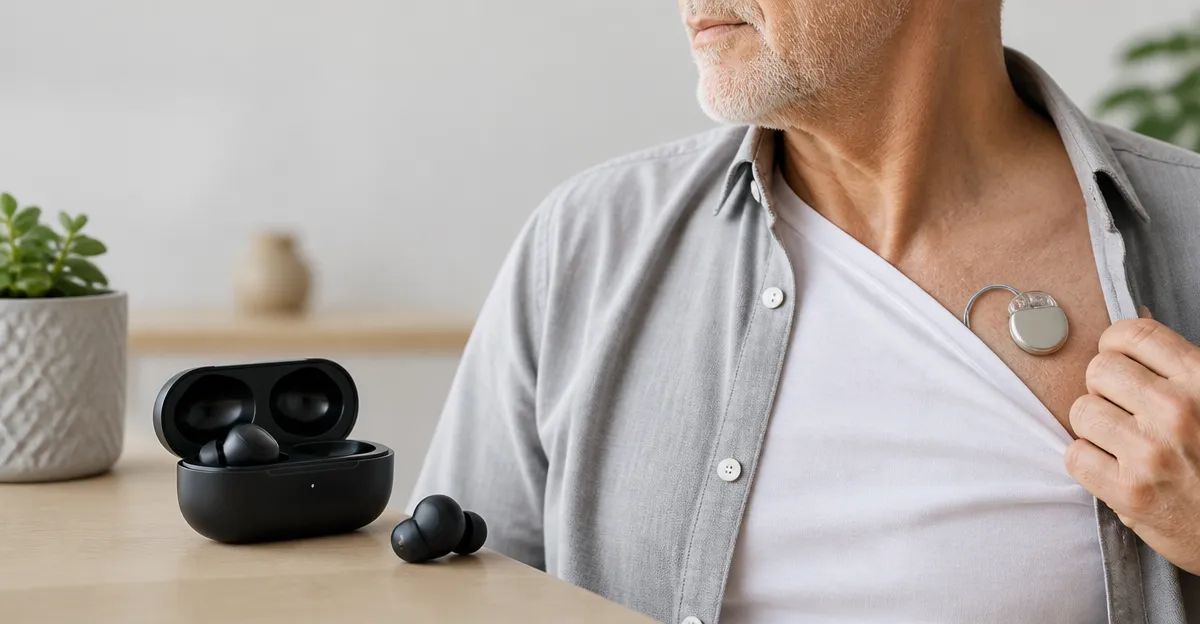
Are Wireless Earbuds Safe with Pacemakers? A Complete Guide to Bluetooth Interference, Risks, and Safety Tips
Introduction
Wireless earbuds have become a ubiquitous accessory for music, calls, and fitness tracking. However, individuals who rely on cardiac pacemakers often wonder whether these devices might interfere with their life‑saving implants. This guide explains the scientific basis of Bluetooth communication, evaluates the real‑world risk of electromagnetic interference, and provides practical recommendations for safe listening. Readers will learn how pacemakers work, what regulatory bodies say about Bluetooth safety, and which earbuds offer the best balance of performance and peace of mind.
Throughout the article, expert‑level explanations are paired with product examples that have proven reliability, strong user ratings, and features that reduce potential interference. The information is intended for anyone who uses a pacemaker and wishes to enjoy modern audio technology without compromising health.
Background and Context
Pacemakers are implantable devices that deliver low‑energy electrical pulses to regulate heart rhythm. They consist of a pulse generator, which houses a battery and electronic circuitry, and one or more leads that connect to cardiac tissue. The device operates on frequencies far below those used by consumer Bluetooth, typically in the kilohertz range for sensing and millisecond‑scale pulses for therapy.
Bluetooth Low Energy (BLE) operates in the 2.4 GHz ISM band, employing short bursts of radio energy that are designed to coexist with other wireless technologies. Regulatory agencies such as the U.S. Food and Drug Administration (FDA) and the International Commission on Non‑Ionizing Radiation Protection (ICNIRP) have established exposure limits that are well beneath the thresholds that could affect pacemaker function.
Clinical studies have repeatedly shown that modern Bluetooth devices, including true‑wireless earbuds, do not cause clinically significant interference with contemporary pacemakers. Nevertheless, manufacturers advise users to maintain a minimum distance of 6 inches (15 cm) between the earbuds and the implanted pulse generator, a precaution that is easy to observe.
Understanding Bluetooth Interference
Interference occurs when an external radio signal is strong enough to be interpreted as noise by the pacemaker’s sensing circuitry. The risk is highest when the external device emits continuous high‑power signals directly over the chest. Bluetooth earbuds emit low‑power signals (< 1 mW) and are typically positioned near the ears, far from the implant site.
Key factors that influence interference potential include:
- Transmit power: Most earbuds use BLE with a maximum output of 0.01 W, well below the safety limits.
- Proximity: The farther the source from the device, the weaker the field strength.
- Frequency hopping: BLE rapidly changes channels, reducing the chance of sustained exposure on any single frequency.
- Device shielding: Modern pacemakers incorporate shielding and filtering to reject out‑of‑band signals.
Because these safeguards are built into both the earbuds and the pacemaker, the likelihood of a harmful interaction is extremely low.
Product Recommendations for Pacemaker Users
While any Bluetooth earbud that complies with FCC regulations is theoretically safe, certain models provide additional features that enhance confidence for pacemaker patients. The following products are highlighted because they combine reliable Bluetooth performance with design attributes that encourage proper spacing and stable connections.
Soundcore P20i Earbuds
The Soundcore P20i Earbuds deliver powerful bass through 10 mm drivers and offer up to 30 hours of total playtime. Their compact charging case includes a lanyard, allowing users to keep the case away from the chest while the earbuds remain on the ears. The product holds a 4.4‑star rating from over 112 000 reviews, indicating broad consumer satisfaction.
Key specifications that matter for safety:
- Bluetooth 5.3 with low‑energy mode.
- Independent earbud operation, reducing the need for simultaneous high‑power transmission.
- Water‑resistant (IPX5) construction, meaning the device can be used during workouts without compromising the seal.
Apple AirPods Pro 3
The Apple AirPods Pro 3 feature industry‑leading active noise cancellation and a custom H2 chip that optimizes Bluetooth efficiency. With a price of $189.99 and a 4.5‑star rating from more than 13 000 reviewers, they represent a premium choice for users who value seamless integration with Apple devices.
Safety‑relevant attributes include:
- Adaptive EQ that adjusts output without increasing transmit power.
- Spatial audio that relies on head‑tracking sensors, not additional radio emissions.
- Fast charging that provides up to 8 hours of use after a short charge, reducing the frequency of charging cycles.
Apple AirPods 4
The Apple AirPods 4 are a more affordable option at $99.00 while still offering the H2 chip and personalized spatial audio. Their 4.5‑star rating from 33 357 reviews confirms reliable performance.
Features that support safe use:
- Low‑latency Bluetooth 5.3 connection.
- Find My integration that helps locate the earbuds without requiring high‑power signals.
- IP54 dust, sweat, and water resistance for active lifestyles.
kurdene Wireless Earbuds
The kurdene Wireless Earbuds are an ultra‑budget alternative at $8.99, yet they still employ Bluetooth 5.3 and provide three silicone tip sizes for a secure fit. Their 4.3‑star rating from 60 455 reviews demonstrates strong value perception.
Important safety points:
- Lightweight design reduces pressure on the head, encouraging users to keep the charging case away from the chest.
- Auto‑pairing on case opening eliminates the need for prolonged active scanning.
- Independent earbud operation, which limits simultaneous transmission.
JBL Vibe Beam Earbuds
The JBL Vibe Beam Earbuds combine deep bass with up to 32 hours of total battery life. Priced at $54.95 and carrying a 4.2‑star rating from 39 995 reviews, they are a solid mid‑range choice.
Safety‑related characteristics:
- IP54 rating ensures durability during sweaty workouts, where users might otherwise need to adjust the earbuds frequently.
- Speed charging provides two extra hours after only 10 minutes, reducing the need for long charging sessions near the chest.
- VoiceAware call technology uses low‑power microphones that do not increase overall radio output.
Comparison and Selection Guide
When selecting earbuds for use with a pacemaker, consider the following criteria:
- Bluetooth version: Choose devices with Bluetooth 5.0 or later, as they use lower power and more efficient frequency hopping.
- Fit and ergonomics: A secure fit prevents the need to constantly readjust the earbuds, which could inadvertently bring the charging case closer to the implant.
- Battery life: Longer battery life reduces the frequency of charging cycles, allowing users to keep the case in a separate location.
- Price versus features: Balance budget constraints with the need for reliable connectivity and low‑power operation.
Based on these factors, the following matrix offers a quick reference:
| Product | Price | Bluetooth | Battery (Earbuds / Case) | Rating | Best For |
|---|---|---|---|---|---|
| Soundcore P20i | $19.98 | 5.3 | 10 h / 30 h | 4.4 | Budget‑friendly power |
| Apple AirPods Pro 3 | $189.99 | 5.3 | 8 h / 30 h | 4.5 | Premium ANC and ecosystem |
| Apple AirPods 4 | $99.00 | 5.3 | 5 h / 30 h | 4.5 | Balanced price and features |
| kurdene Wireless | $8.99 | 5.3 | 5 h / 20 h | 4.3 | Ultra‑budget entry |
| JBL Vibe Beam | $54.95 | 5.3 | 8 h / 24 h | 4.2 | Rich bass, long runtime |
For most pacemaker patients, a mid‑range model such as the Apple AirPods 4 offers an optimal mix of safety‑focused design and reliable performance. Users on a tighter budget may find the Soundcore P20i Earbuds to be a satisfactory alternative.
Best Practices & Safety Tips
Even though scientific evidence supports the safety of Bluetooth earbuds, following these best practices maximizes protection:
- Maintain at least a six‑inch distance between the charging case and the implanted pulse generator.
- Store the case in a pocket, bag, or on a table away from the chest when not in use.
- Avoid placing the earbuds directly against the skin over the implant site; keep them on the ears as intended.
- Use the manufacturer’s recommended charging cable and avoid fast‑charging adapters that could increase heat near the case.
- Consult a cardiologist if any unusual sensations, such as buzzing or irregular heartbeats, occur while using wireless audio devices.
Additionally, many modern earbuds include a “Find My” feature that emits a low‑volume tone to locate a lost bud. This function uses minimal power and does not pose an additional risk, but it should be activated only when the case is stored away from the chest.
Frequently Asked Questions
- Can Bluetooth earbuds cause a pacemaker to malfunction? Current clinical data indicate that Bluetooth signals are far below the threshold required to interfere with pacemaker sensing or therapy delivery.
- Do I need to turn off Bluetooth when I am near a medical facility? No, but it is advisable to follow any specific instructions given by the facility, as some imaging rooms may have restrictions unrelated to pacemaker safety.
- Is there a difference between true‑wireless earbuds and wired headphones? Wired headphones do not emit radio frequency energy, eliminating any theoretical risk of electromagnetic interference; however, they lack the convenience of hands‑free operation.
- What should I do if I experience unusual heart rhythm sensations while using earbuds? Stop using the device immediately, check the pacemaker’s status with a medical professional, and report the incident to the device manufacturer.
- Are there any certifications I should look for? Look for FCC‑approved Bluetooth devices and check that the manufacturer complies with IEC 60601‑1‑2 standards for electromagnetic compatibility.
- Do noise‑cancelling earbuds increase risk? Active noise cancellation uses additional microphones and processing but does not increase radio output; therefore, it does not raise interference risk.
- Can I use earbuds while exercising? Yes, provided the earbuds are water‑resistant (IPX4 or higher) and the charging case is kept away from the chest during intense activity.
Conclusion
Wireless earbuds that comply with modern Bluetooth standards are safe for most individuals with pacemakers when used responsibly. The key is to maintain a modest distance between the charging case and the implanted device, select earbuds with low‑power Bluetooth 5.x, and follow manufacturer guidelines. By applying the best‑practice tips and selecting a product that matches personal preferences, pacemaker patients can enjoy high‑quality audio without compromising cardiac health.
Products Featured in This Guide
Soundcore P20i Earbuds
Price: $19.98 | Rating: 4.4/5 (112,450 reviews)
Featured for its low price, long battery life, and Bluetooth 5.3 efficiency, which together provide a safe listening experience for pacemaker users.
Apple AirPods Pro 3
Price: $189.99 | Rating: 4.5/5 (13,308 reviews)
Featured for its premium active‑noise cancellation, adaptive EQ, and efficient Bluetooth chipset, offering maximum comfort and safety.
Apple AirPods 4
Price: $99.00 | Rating: 4.5/5 (33,357 reviews)
Featured for its H2 chip, spatial audio, and IP54 resistance, delivering a reliable, low‑power solution for everyday use.
kurdene Wireless Earbuds
Price: $8.99 | Rating: 4.3/5 (60,455 reviews)
Featured for its ultra‑budget price, lightweight design, and Bluetooth 5.3, making it an accessible option for safety‑conscious users.
JBL Vibe Beam Earbuds
Price: $54.95 | Rating: 4.2/5 (39,995 reviews)
Featured for its deep bass, long battery life, and IP54 rating, providing a balanced audio experience without compromising safety.