Introduction
Commuters who rely on wireless earbuds often face the invisible threat of pollen infiltrating the tiny acoustic chambers. Over time, pollen can degrade sound quality, cause irritation, and even damage delicate drivers. This guide explains how to create a pollen‑proof environment for your earbuds, ensuring reliable performance on every journey. By following the steps, readers will preserve audio fidelity, extend device lifespan, and enjoy a healthier listening experience.
What You'll Need
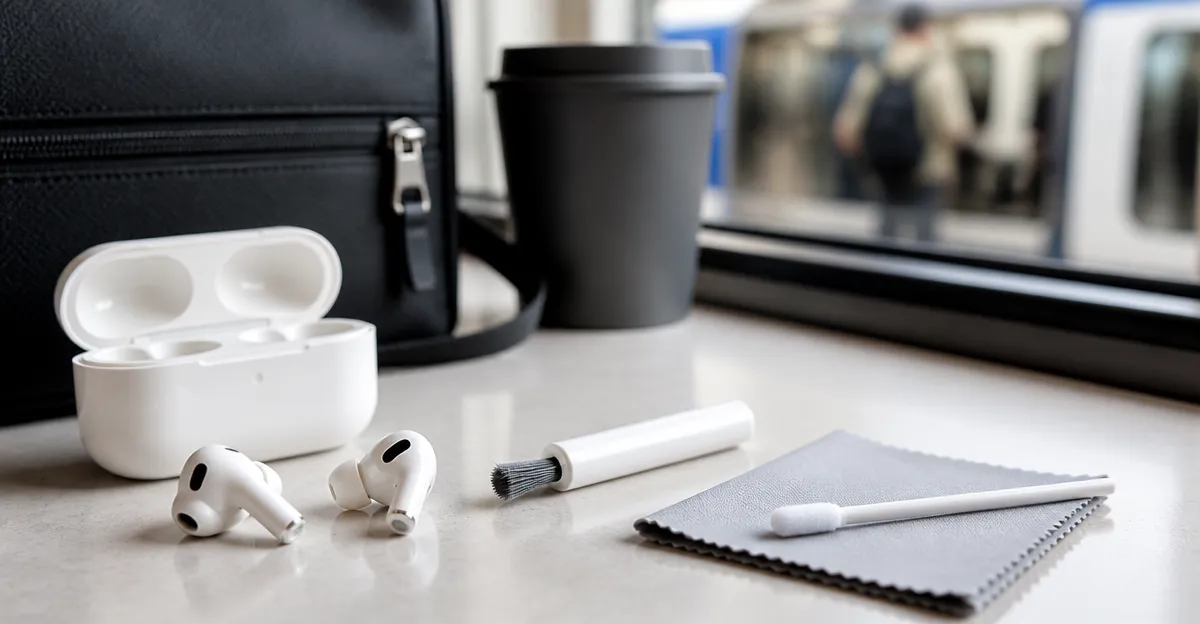
- Microfiber cleaning cloth – soft enough for delicate surfaces.
- Isopropyl alcohol wipes (70% or lower) – for safe disinfection.
- Small anti‑static brush – to remove pollen from mesh ports.
- Silicone ear‑tip cleaning tool – for deep crevices.
- Spare pair of earbuds for testing, such as JBL Vibe Beam Earbuds.
Step 1: Gather Your Materials
Begin by assembling all cleaning tools on a clean, flat surface to avoid accidental drops. Ensure the microfiber cloth is lint‑free, because stray fibers can become new pollen carriers. Keep the alcohol wipes sealed until use; exposure to air reduces their effectiveness. Having a spare pair like the JBL Vibe Beam Earbuds (price $29.95, rating 4.2/5) ready will allow you to verify audio quality after cleaning.
Step 2: Detach Ear Tips and Inspect
Gently pull off the silicone ear tips from each bud; this exposes the speaker grilles where pollen accumulates. Examine the tips for visible pollen, dust, or earwax – these particles are the primary culprits of blockage. If the tips appear discolored, consider replacing them; most manufacturers sell compatible replacements separately. This inspection step prevents you from cleaning a problem that is actually a worn tip.
Step 3: Clean the Earbuds with a Soft Brush
Using the small anti‑static brush, sweep across the mesh ports in short, controlled strokes. The brush removes pollen without pushing it deeper into the driver chamber. For earbuds with larger openings, such as the Apple AirPods 4, the brush can reach the hidden vent without damaging the IP54‑rated seal. After brushing, tap the buds lightly over a trash bin to dislodge any loose particles.
Step 4: Disinfect the Surfaces with Alcohol Wipes
Take a fresh isopropyl alcohol wipe and gently rub the exterior of each earbud, focusing on the stem, speaker mesh, and charging contacts. Alcohol evaporates quickly, leaving no residue that could attract pollen. Avoid saturating the interior; excess liquid can seep into the driver and cause irreversible damage. This step not only kills pollen spores but also reduces bacterial buildup that can affect skin health.
Step 5: Dry and Reassemble
Allow the earbuds to air‑dry for at least two minutes in a dust‑free environment; the rapid evaporation of alcohol ensures no moisture remains. Once dry, reattach the original silicone tips or install new ones if replacement was necessary. Verify that each tip clicks securely, because a loose fit can let pollen enter during use. Proper reassembly restores the ergonomic seal that enhances bass response and passive noise isolation.
Step 6: Test Audio Performance
Power on the cleaned earbuds and connect them to a trusted device. Play a familiar track that contains both high‑frequency details and deep bass – the JBL Vibe Beam Earbuds, for example, feature 8 mm drivers with Deep Bass Sound and deliver up to 32 hours of playback for thorough testing. Listen for any muffling, distortion, or imbalance that might indicate residual pollen. If the sound is clear, you have successfully pollen‑proofed the device; if not, repeat Steps 3 and 4 focusing on the problematic earbud.
Tips & Pro Tips
- Store earbuds in a sealed case when not in use; the Soundcore P20i Earbuds case provides a snug fit that blocks pollen entry.
- Schedule a quick cleaning routine twice a week during high pollen seasons to prevent buildup.
- Consider using a small piece of anti‑static tape on the charging contacts to repel dust.
- For users with very small ears, the TOZO A1 Earbuds weigh only 3.7 g and stay comfortably in place, reducing the need for frequent tip removal.
- When traveling, keep a spare set like the Fhumsh Bluetooth Earbuds in your bag; they feature an LED battery display that reminds you to charge before long commutes.
Troubleshooting
Problem: Persistent static or crackling after cleaning.
Solution: Verify that no moisture remains on the driver mesh; gently use a dry microfiber cloth to absorb any lingering dampness. If the issue persists, inspect the charging contacts for residue and clean them with a dry cotton swab.
Problem: Ear tips no longer fit securely.
Solution: Purchase compatible silicone tips from the original manufacturer or use third‑party sizes that match the earbud’s diameter. The JBL Vibe Beam Earbuds include three extra tip sizes, making them adaptable to most ear shapes.
Conclusion
By following this systematic cleaning routine, commuters can safeguard their earbuds against pollen, maintain optimal sound quality, and extend device longevity. Regular maintenance, combined with proper storage, creates a barrier that keeps microscopic allergens out of the acoustic chamber. The recommended products – JBL Vibe Beam, Apple AirPods 4, Soundcore P20i, TOZO A1, and Fhumsh Bluetooth – provide reliable tools for testing, storage, and backup use. Implement these practices today and enjoy uninterrupted, crystal‑clear audio on every ride.
Products Mentioned in This Guide
Frequently Asked Questions
How does pollen affect wireless earbuds for commuters?
Pollen can clog acoustic chambers, degrade sound quality, and irritate the skin inside the ear canal.
What basic tools are needed to clean earbuds and prevent pollen buildup?
A lint‑free microfiber cloth, 70% isopropyl alcohol wipes, a small anti‑static brush, and a silicone ear‑tip cleaning tool.
How often should commuters clean their earbuds to stay pollen‑proof?
Clean them at least once a week, or after exposure to heavy pollen or dusty environments.
Can isopropyl alcohol wipes be safely used on earbud drivers and mesh?
Yes, using 70% or lower isopropyl alcohol wipes gently on the exterior and mesh will disinfect without damaging the drivers.
What steps can I take to protect my earbuds from pollen while traveling?
Store earbuds in a sealed case, avoid open‑air exposure during high‑pollen seasons, and wipe them down after each commute.