How to Protect and Maintain Your Earbuds This Summer: Practical Care Tips for Commuters
Introduction
Commuters rely on earbuds to stay connected, entertained, and productive while traveling. During the summer months, heat, humidity, and frequent handling increase the risk of damage and buildup of debris. This guide explains how to protect and maintain earbuds so that they continue to deliver high‑quality sound throughout the season. By following the steps below, readers will learn practical care techniques, understand why each recommended tool is valuable, and keep their audio accessories in optimal condition.
What You'll Need
- GLCON Carrying Case – a hard EVA protective case for storage and transport.
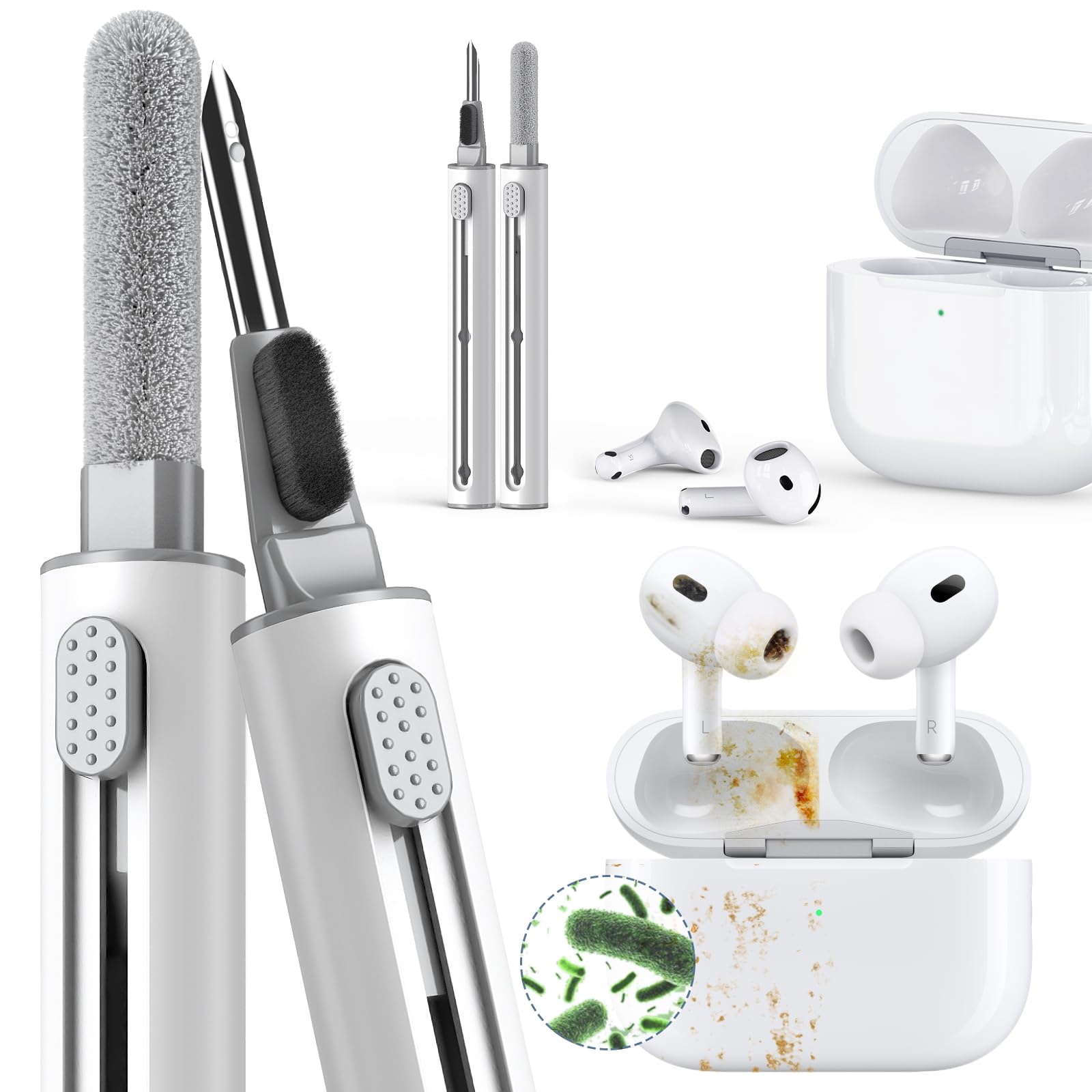
- Inesore Cleaning Pen – a 3‑in‑1 pen‑shaped tool for detailed cleaning.
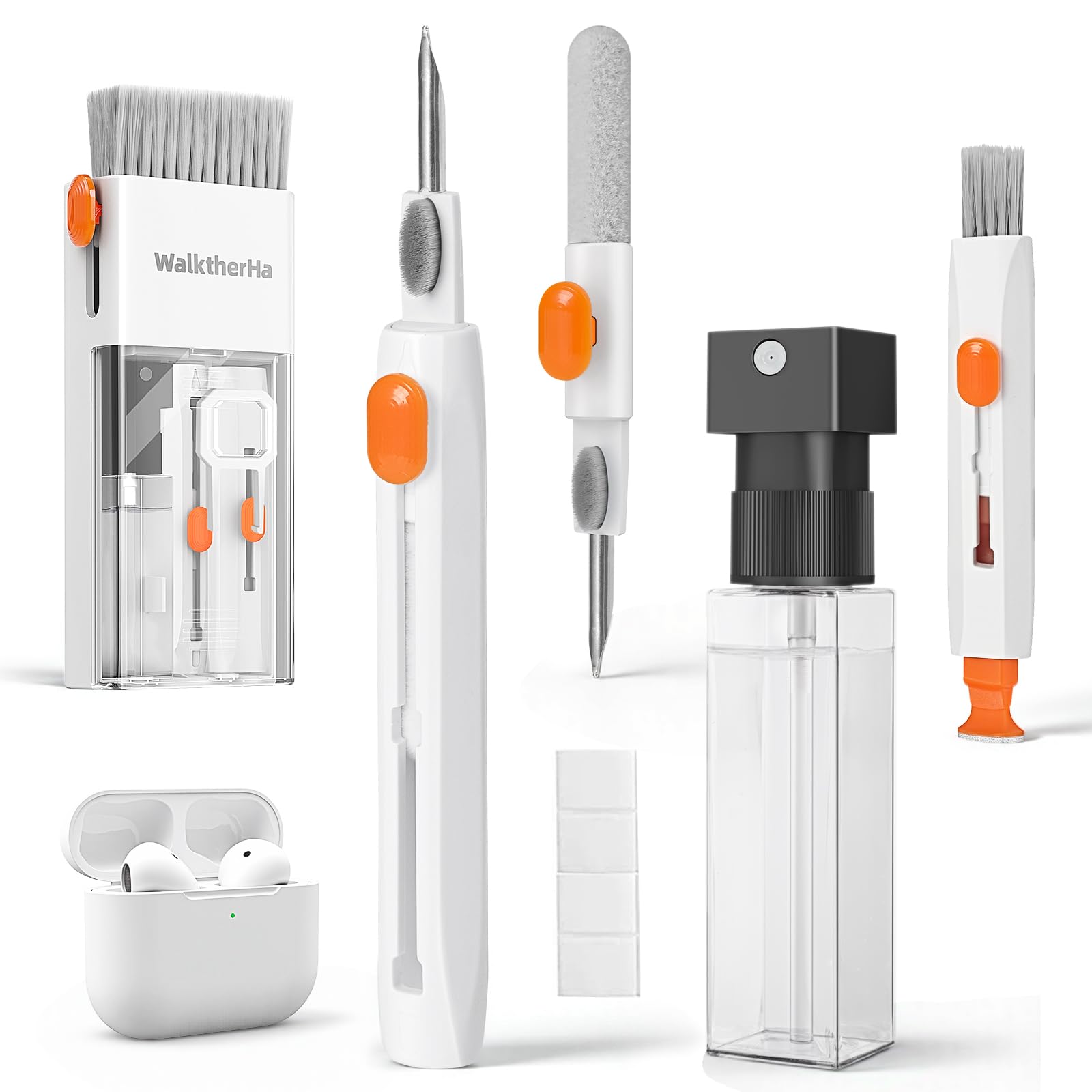
- WalktherHa 20‑in‑1 Cleaning Kit – a comprehensive kit for deep cleaning of earbuds, cables, and accessories.
- Micro‑fiber cloth, a small spray bottle of isopropyl alcohol (70% or less), and a soft brush (optional).
Step 1: Store Earbuds in a Protective Case
When not in use, place earbuds in a dedicated protective case to shield them from impacts, dust, and accidental exposure to liquids. The GLCON Carrying Case offers a hard EVA shell that is crush‑resistant, anti‑shock, and weather‑resistant, making it ideal for daily commutes. Its mesh inner pocket and soft cloth lining secure the earbuds and prevent movement that could cause scratches. At a price of $6.99, the case has earned a 4.5‑star rating from over 7,000 reviewers, confirming its reliability and value.
To use the case effectively, follow these actions:
- Open the zipper and place the earbuds in the internal pocket, ensuring the cable is neatly coiled.
- Close the zipper fully to lock the mesh pocket and prevent debris from entering.
- Attach the case to a backpack or belt loop using a carabiner for quick access during travel.
This storage method reduces the chance of accidental drops and protects the delicate drivers from summer‑related temperature fluctuations.
Step 2: Clean Earbuds Regularly to Remove Sweat and Debris
Heat and perspiration accelerate the accumulation of earwax, dust, and skin oils on earbud surfaces and within charging ports. Regular cleaning prevents sound degradation and extends the lifespan of the components. The Inesore Cleaning Pen provides a metal tip for tight crevices, a soft microfiber brush for delicate mesh, and a lightweight brush for charging compartments.
Key features of the cleaning pen include a 3‑in‑1 design, eco‑friendly materials, and a portable pen shape that fits easily in a pocket or case. With a 4.5‑star rating from 1,600 reviewers, users report that the tool removes grime without damaging sensitive parts. To clean your earbuds, perform the following steps:
- Power off the earbuds and detach any cables.
- Use the metal tip to gently scrape out earwax from the driver openings, being careful not to apply excessive pressure.
- Switch to the microfiber brush and sweep the mesh of the speaker to dislodge fine particles.
- Employ the soft brush to clean the charging contacts and port, removing any residue that could impede charging.
For a more thorough cleaning, especially after a sweaty commute, combine the pen with the WalktherHa 20‑in‑1 Cleaning Kit, which includes a flocking sponge and screen‑cleaning spray.
Step 3: Protect Earbuds from Moisture and Heat
Summer humidity can infiltrate earbuds, leading to corrosion of internal components. While the hard EVA case offers basic weather resistance, additional moisture‑absorbing measures further safeguard the devices. Place a small silica‑gel packet inside the GLCON Carrying Case when storing earbuds for extended periods. The packet absorbs residual humidity, keeping the interior dry.
When traveling on public transport, avoid exposing earbuds to direct sunlight or leaving them in a hot vehicle. Instead, store them in the case and keep the case in a shaded portion of your bag. If moisture does enter, gently pat the exterior with a dry micro‑fiber cloth and allow the earbuds to air dry for at least thirty minutes before reuse.
Step 4: Manage Cables and Connectors
Many commuters use wired earbuds or charging cables that are prone to fraying, tangling, and wear from repeated plugging and unplugging. The WalktherHa 20‑in‑1 Cleaning Kit includes a retractable large brush and polishing cloths that can be used to clean cable jackets and connector pins, preventing oxidation.
Follow these actions to maintain cables:
- Wrap the cable around a small cord organizer or use the built‑in cable tie in the case to prevent kinks.
- Periodically wipe the connector with a lightly dampened micro‑fiber cloth; avoid excess liquid.
- Use the kit’s metal tip to remove debris from the USB‑C or Lightning port before insertion.
These practices reduce signal loss and extend the functional life of both earbuds and charging accessories.
Step 5: Perform Periodic Functional Checks
Regularly test earbuds for audio quality, battery health, and connectivity. Conduct a quick sound test by playing a familiar track and listening for distortion, crackling, or volume inconsistencies. If any issue arises, revisit the cleaning steps using the Inesore Cleaning Pen or the broader WalktherHa 20‑in‑1 Cleaning Kit to address hidden grime that may affect performance.
Battery health can be monitored through the device’s companion app; if charging time increases dramatically, clean the charging contacts with the soft brush from the cleaning pen. By integrating these checks into a weekly routine, commuters ensure reliable performance throughout the hot months.
Tips & Pro Tips
- Apply a thin layer of silicone grease to cable strain relief points to improve flexibility.
- Use a breathable pouch rather than a sealed plastic bag for long‑term storage to avoid condensation.
- When cleaning with alcohol, limit exposure to 70% isopropyl alcohol or less, and never soak the earbuds.
- Rotate the earbuds in the case periodically to prevent pressure marks on the drivers.
Troubleshooting
| Problem | Possible Cause | Solution |
|---|---|---|
| Audio crackling | Dust in speaker mesh | Use the microfiber brush of the Inesore Cleaning Pen to clean the mesh. |
| Charging failure | Corroded contacts | Wipe contacts with the soft brush from the WalktherHa 20‑in‑1 Cleaning Kit and ensure the case is dry. |
| Fit discomfort | Earwax buildup on ear tips | Remove ear tips, clean with the metal tip of the Inesore Cleaning Pen, and re‑attach. |
Conclusion
By storing earbuds in a hard EVA case, cleaning them with specialized tools, protecting them from moisture, managing cables, and performing regular functional checks, commuters can preserve sound quality and durability throughout the summer. The recommended products—GLCON Carrying Case, Inesore Cleaning Pen, and WalktherHa 20‑in‑1 Cleaning Kit—provide affordable, highly rated solutions that complement these best practices. Implementing the steps outlined in this guide will reduce the likelihood of costly repairs and ensure a reliable audio experience on every journey.
Products Mentioned in This Guide
Frequently Asked Questions
Why should commuters use a hard EVA case for earbuds in summer?
A hard EVA case shields earbuds from heat, humidity, and impact, preventing damage while traveling.
How does the Inesore Cleaning Pen help maintain earbud sound quality?
Its 3‑in‑1 tips remove earwax and debris from speaker meshes and ports without scratching the surface.
What is the benefit of a 20‑in‑1 cleaning kit for earbuds?
It provides specialized brushes and tools for deep cleaning of drivers, cables, and connectors, extending device lifespan.
What simple daily habit can prevent moisture buildup in earbuds?
Wipe the earbuds with a dry microfiber cloth after each use and store them in a ventilated case.
Can heat exposure affect earbud battery performance?
Yes, high temperatures can degrade battery cells, so keep earbuds out of direct sunlight and hot cars.