How to Avoid Earbud Pressure for Glasses-Wearing Commuters: Practical Tips for Comfortable Rides
Introduction
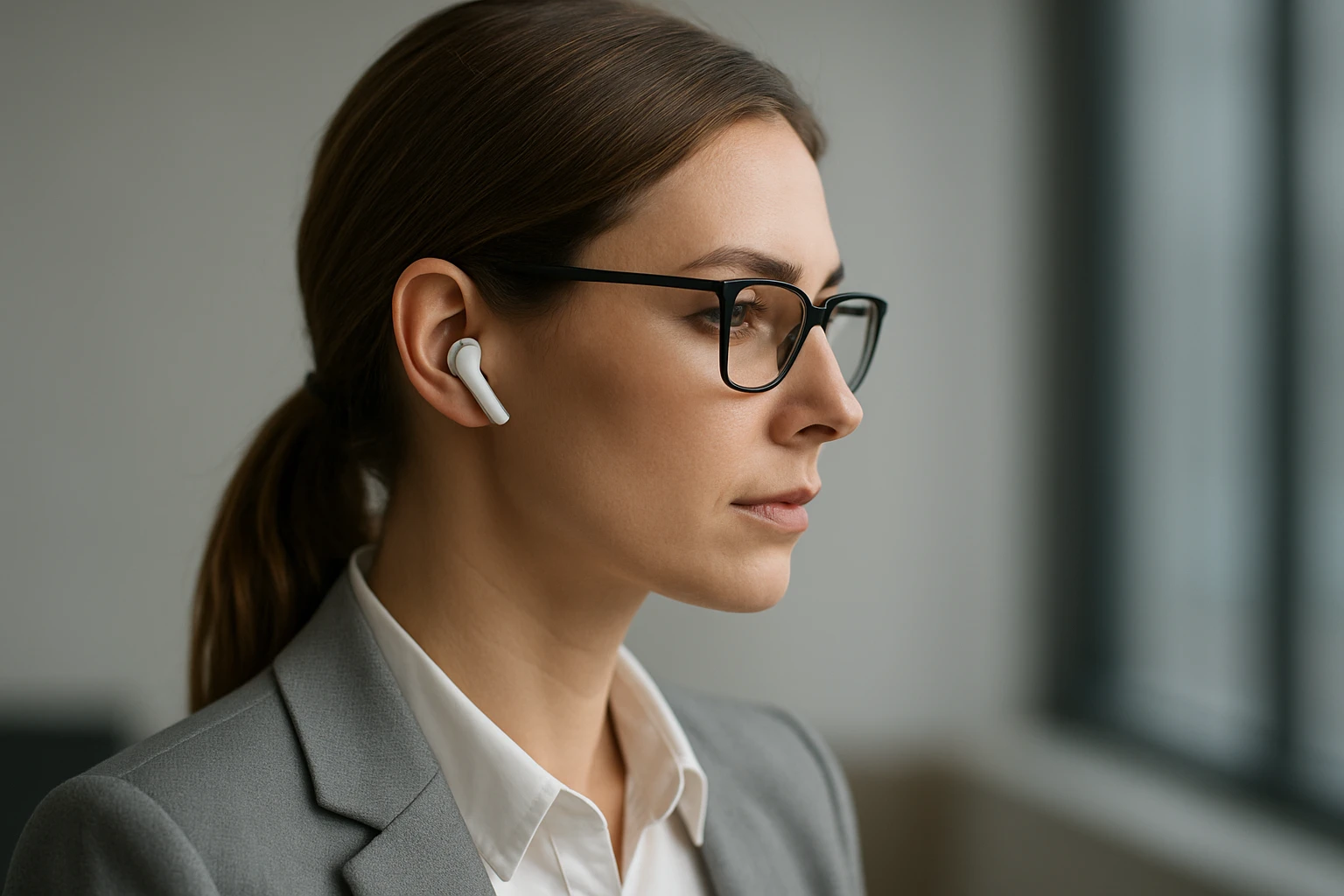
Commuters who wear glasses often experience discomfort when using traditional in-ear earbuds. The pressure exerted by the earbuds can interfere with the nose pads of glasses, leading to pain, reduced focus, and even headaches. This guide explains how to prevent earbud pressure while maintaining high‑quality audio during daily travel. Readers will learn how to assess their commuting environment, select appropriate audio tools, adjust fit, and maintain their devices for long‑term comfort. The information is valuable because it combines ergonomic principles with specific product recommendations, allowing commuters to enjoy music, podcasts, or calls without sacrificing visual clarity or physical wellbeing.
What You'll Need
- Open‑ear or clip‑on earbuds designed for minimal ear canal intrusion
- Adjustable headband or ear‑hook accessories (optional)
- Microfiber cleaning cloth
- Protective case for storage during travel
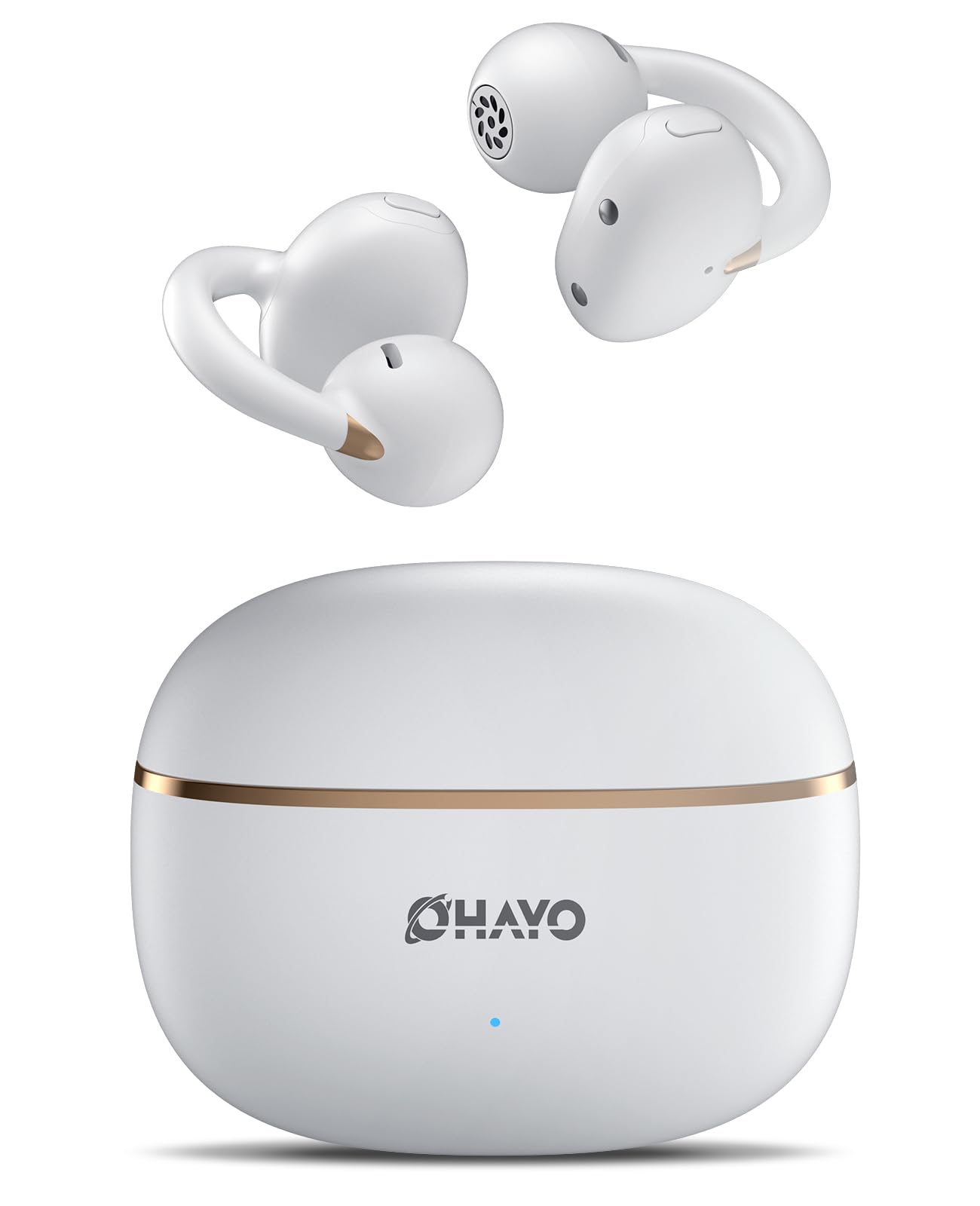
- Optional: OHAYO A7 Clip-On Open Ear Headphones
Step 1: Assess the Commute Environment
The first step is to understand the acoustic and physical demands of the daily commute. Public transportation often includes background noise, sudden announcements, and variable lighting. Identify whether the commuter is seated, standing, or moving vigorously (e.g., on a bike). This assessment determines the level of noise isolation required and the stability needed for the audio device. For example, a seated subway ride benefits from moderate isolation, while a cycling commute demands secure attachment to prevent earbuds from slipping.
Step 2: Choose an Appropriate Earbud Style
Selecting earbuds that avoid direct pressure on the ear canal is critical for glasses wearers. Open‑ear designs rest on the outer ear without entering the canal, thereby eliminating interference with glasses nose pads. The OHAYO A7 Clip-On Open Ear Headphones exemplify this approach. They weigh only 4.7 g, feature a feather‑light clip design, and employ a spring mechanism that conforms to various ear shapes. The product offers Bluetooth 5.4 with ultra‑low latency (0.05 s) and a 48‑hour battery life, ensuring continuous playback during long journeys. With a rating of 4.6 out of 5 from 427 reviews and a price of $25.99, the headphones provide a cost‑effective solution for commuters seeking comfort and reliability.
Step 3: Adjust Fit and Position
Even open‑ear devices require proper positioning to avoid accidental pressure. Begin by placing the clip on the upper part of the ear, just above the cartilage, where it does not contact the glasses’ temple arms. Gently tighten the spring until the device feels secure but not restrictive. Verify that the audio drivers are aligned with the ear canal opening without touching it. This alignment preserves ambient awareness, a safety advantage for commuters navigating traffic or crowded platforms.
Step 4: Use Supplemental Accessories for Stability
When the commute involves vigorous motion, additional accessories can enhance stability. Adjustable headbands or ear‑hooks can distribute weight across the head, reducing reliance on the clip alone. Choose accessories made from lightweight, sweat‑resistant materials such as silicone or breathable fabric. Secure the headband behind the head and attach the earbuds to the band using the provided attachment points. This configuration prevents the earbuds from shifting, which could otherwise cause the clip to press against the glasses.
Step 5: Manage Volume and Ear Health
High volume levels can mask external sounds, encouraging commuters to press earbuds deeper into the ear for better bass response. This habit defeats the purpose of open‑ear designs. Maintain volume at a level where speech remains audible without straining. The OHAYO A7 headphones incorporate Environmental Noise Cancellation (ENC) that reduces ambient chatter, allowing lower volume settings while preserving clarity. Regularly pause playback to give the ears a brief rest, especially during long trips exceeding two hours.
Step 6: Maintain and Clean the Devices
Accumulated sweat, dust, and earwax can degrade audio performance and cause irritation. After each commute, wipe the clip and drivers with a microfiber cleaning cloth. If the device includes a protective case, store the earbuds inside to prevent accidental damage. The OHAYO A7 headphones feature an IPX6 sweat‑proof rating, meaning they can withstand intense perspiration without compromising functionality. Nonetheless, routine cleaning extends the lifespan and ensures consistent sound quality.
Tips & Pro Tips
- Test the earbuds in a quiet environment before the first commute to fine‑tune the fit.
- Use the quick‑charge feature (1.5 hours) to replenish battery during a coffee break, ensuring full power for the next leg of travel.
- Enable the 35 ms pro‑gaming mode when watching video content on a mobile device; the reduced latency prevents lip‑sync issues.
- If glasses have adjustable nose pads, loosen them slightly to create additional clearance for the clip.
- Consider pairing the earbuds with a noise‑cancelling app that enhances the ENC function for especially noisy subway lines.
Troubleshooting
Problem: The clip slips during vigorous movement.
Solution: Verify that the spring is fully engaged and that the ear surface is clean and dry. If slipping persists, add a silicone ear‑hook accessory to share the load.
Problem: Audio cuts out intermittently.
Solution: Ensure the Bluetooth connection is within the 15 m stable range. Re‑pair the device if interference from other wireless signals is suspected.
Problem: Persistent ear fatigue despite using open‑ear design.
Solution: Reduce listening duration and increase ambient awareness breaks. Check that the clip is not pressing against the glasses’ temple arms.
Conclusion
Glasses‑wearing commuters can eliminate earbud pressure by selecting open‑ear technology, adjusting fit meticulously, and employing supplemental accessories when necessary. The OHAYO A7 Clip-On Open Ear Headphones provide a lightweight, secure, and high‑performance solution that aligns with these principles. By following the steps outlined in this guide, readers will experience comfortable rides, maintain audio quality, and protect both their ears and glasses from unnecessary strain.
Products Mentioned in This Guide
Frequently Asked Questions
Why do traditional in‑ear earbuds cause pressure for glasses wearers?
They sit against the ear canal and nose pads, creating a squeeze that interferes with the glasses’ frame and can lead to pain or headaches.
What kind of earbuds are best for commuters who wear glasses?
Open‑ear or clip‑on earbuds that sit outside the ear canal minimize contact with the glasses’ nose pads.
How can I adjust my earbuds to reduce pressure on my glasses?
Tilt the earbud tips outward, use the smallest size tips, or switch to ear‑hooks/headband adapters that shift pressure away from the nose bridge.
Are there accessories that help prevent earbud pressure?
Yes, silicone ear‑hooks, adjustable headbands, and soft ear‑tip sleeves can redistribute force and improve comfort.
What maintenance steps keep earbuds comfortable for long‑term use?
Regularly clean the tips with a microfiber cloth, replace worn tips, and store the earbuds in a protective case to preserve their fit.