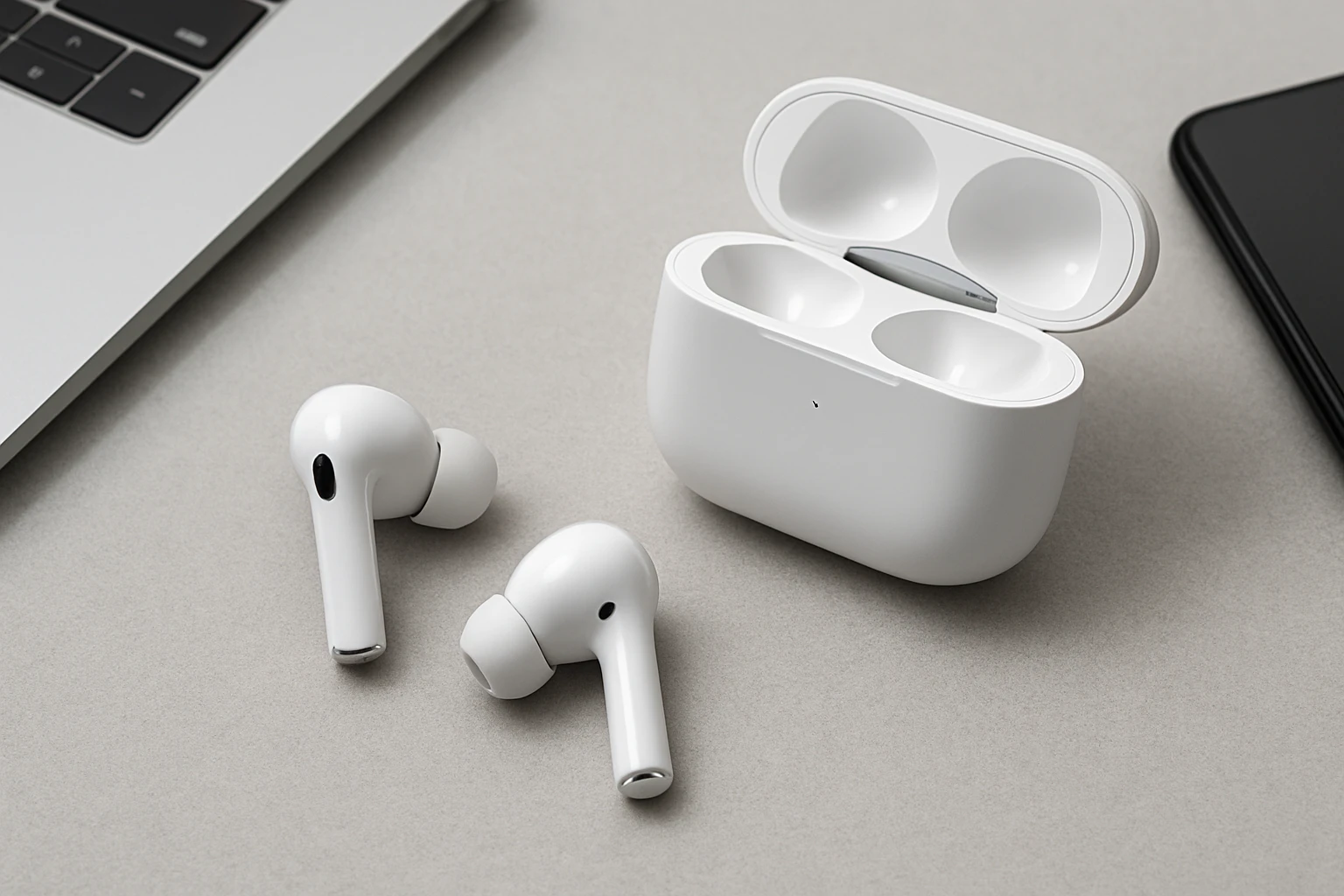
How to Maximize ANC Performance on Earbuds: 12 Proven Tips
In this guide the reader will learn how to extract the maximum potential from active noise cancellation (ANC) technology and improve overall sound fidelity. The instructions are designed for users who already own true wireless earbuds and desire a more immersive listening experience. By following the twelve steps one can achieve clearer calls, deeper bass, and quieter environments without additional hardware. The value of this guide lies in its practical, evidence‑based recommendations that can be implemented immediately.
What You Will Need
- A pair of true wireless earbuds with ANC capability.
- The companion charging case, preferably one with smart controls.
- A smartphone or tablet with the latest operating system.
- Internet access for firmware updates.
- A soft, lint‑free cleaning cloth.
Optional but recommended tools include a small brush for ear tip cleaning and a portable power bank for extended sessions. The following sections reference a specific product that satisfies many of these requirements.
Step 1: Choose Earbuds with a Proper Seal
Effective ANC begins with a physical seal that isolates the ear canal from external noise. One should select ear tips that match the size of the ear canal and replace them regularly to maintain elasticity. Testing the seal can be performed by playing a low‑frequency tone and noting any audible leakage. The Wyness Wireless Earbuds provide multiple silicone tip sizes, ensuring a customized fit for most users.
Step 2: Update Firmware Regularly
Manufacturers release firmware updates that refine ANC algorithms and improve latency. Users should open the companion app, navigate to the firmware section, and install any available updates before using the earbuds. Updating also patches security vulnerabilities that could affect Bluetooth stability. The Wyness app offers a one‑click update process, reducing the technical burden on the user.
Step 3: Activate ANC Correctly
Many earbuds feature a dedicated ANC toggle on the case or within the app. It is essential to ensure the toggle is engaged before entering noisy environments. Some models allow a hybrid mode that blends ANC with ambient sound; selecting the appropriate mode depends on the situation. The smart touchscreen case of the Wyness Wireless Earbuds lets the user enable ANC with a single tap, providing intuitive control.
Step 4: Optimize Ambient Mode Settings
Transparency or Ambient mode allows situational awareness while preserving noise reduction. Users should adjust the ambient volume to a level that does not overpower the primary audio. In the companion app, a slider typically controls the proportion of external sound that is mixed in. The Wyness earbuds feature a responsive case interface that lets the user switch between ANC and Ambient mode without removing the earbuds.
Step 5: Adjust Equalizer for Clarity
Equalizer presets can compensate for frequency loss caused by the sealing effect of ANC. Selecting a preset that emphasizes mids and highs often restores vocal clarity. The companion app for the Wyness earbuds includes five professional EQ settings, each tailored to different music genres. Users can experiment with the “Studio” preset to achieve balanced sound during critical listening sessions.
Step 6: Use High‑Quality Audio Sources
ANC performance is most noticeable when the source material contains a wide dynamic range. Streaming services that offer lossless or high‑resolution audio will showcase the earbuds' capabilities more effectively. Users should verify that their device is set to the highest available bitrate. Pairing the Wyness Wireless Earbuds with a device that supports Bluetooth 6.0 ensures minimal compression and latency.
Step 7: Manage Bluetooth Connection Stability
Interference from other wireless devices can degrade ANC performance by causing audio dropouts. It is advisable to keep the source device within a three‑meter radius and avoid crowded Wi‑Fi channels. The Bluetooth 6.0 chipset in the Wyness earbuds employs anti‑interference technology that maintains a stable link even in congested environments. Users can also enable the “Auto‑Reconnect” feature in the app to reduce manual pairing steps.
Step 8: Keep Earbuds Clean and Free of Debris
Accumulated earwax and dust can obstruct the microphones used for ANC processing. A soft, lint‑free cloth should be used to wipe the outer surfaces after each use. For deeper cleaning, a small brush can gently remove debris from the vent openings. The Wyness earbuds are designed with removable filters that can be cleaned without disassembling the unit.
Step 9: Leverage Smart Charging Case Features
The charging case is more than a power source; it acts as a remote control hub for ANC settings. By tapping the case surface the user can toggle ANC, adjust volume, or locate misplaced earbuds. The case also provides a quick‑charge function that adds two hours of playback after a ten‑minute charge, ensuring uninterrupted listening. The Wyness Wireless Earbuds’ smart case consolidates ten functions, making it an indispensable tool for managing ANC on the go.
Step 10: Maintain Battery Health
Battery degradation reduces the time available for ANC processing, especially during long journeys. Users should avoid leaving the earbuds in the case at extreme temperatures and should perform a full discharge cycle every month. The LED indicator on the Wyness case displays remaining charge, allowing the user to plan recharging sessions proactively. Storing the case at room temperature extends overall battery lifespan.
Step 11: Position Microphones for Call Clarity
ANC microphones can sometimes capture the user’s voice less effectively if the earbuds are misaligned. Ensuring that the earbuds sit comfortably yet securely prevents microphone obstruction. The dual ENC (Environmental Noise Cancellation) microphones in the Wyness earbuds automatically adapt to the ear shape, but manual adjustment may be necessary for optimal call quality. Users can test microphone performance by recording a short voice memo before important calls.
Step 12: Test and Calibrate Using Real‑World Environments
After implementing the previous steps, it is important to evaluate performance in diverse settings such as subways, offices, and outdoor cafés. Users should note any residual background noise and adjust ANC or Ambient settings accordingly. The Wyness app includes a calibration tool that measures ambient sound levels and suggests optimal ANC configuration. Repeating this calibration periodically ensures that the earbuds adapt to changing acoustic environments.
Tips & Pro Tips
- Rotate ear tip sizes weekly to prevent material fatigue.
- Enable “Low‑Latency Mode” in the app when gaming to reduce audio lag.
- Use a dedicated Bluetooth audio decoder for the highest fidelity when listening to lossless tracks.
- Avoid using ANC at full volume for extended periods to reduce ear fatigue.
Troubleshooting
Problem: ANC does not activate after pairing.
Solution: Verify that the firmware is up to date, reset the earbuds by placing them in the case for thirty seconds, and re‑enable ANC via the smart case.
Problem: Unexpected background hiss during calls.
Solution: Clean the microphone ports, ensure a snug seal, and switch to the “Transparency” mode to allow natural ear canal acoustics to balance the signal.
Conclusion
The twelve steps outlined above empower the user to maximize active noise cancellation and overall sound quality on true wireless earbuds. By focusing on fit, firmware, case functionality, and environmental calibration one can achieve a listening experience comparable to high‑end over‑ear headphones. The recommended Wyness Wireless Earbuds illustrate how integrated smart features simplify many of these tasks. Readers are encouraged to apply the techniques consistently and enjoy quieter, richer audio in any setting.
Products Mentioned in This Guide
Wyness Wireless Earbuds
Price: Not specified (refer to Amazon for current pricing). Rating: 4.8/5.0 based on 138 reviews.
Key features include a smart touchscreen charging case, active noise cancellation up to 45 dB, Bluetooth 6.0, 40‑hour total battery life, and dual ENC microphones.
Frequently Asked Questions
How does a proper ear tip seal affect ANC performance?
A tight seal blocks external noise, allowing the ANC chips to work more efficiently and improve bass response.
Should I update my earbuds' firmware regularly?
Yes, firmware updates often include ANC algorithm improvements and bug fixes that boost noise cancellation.
What is the best way to clean ANC earbuds without damaging them?
Use a lint‑free cloth and a soft brush to gently remove earwax and debris from the drivers and mesh.
Can I improve ANC battery life during long listening sessions?
Enable low‑power mode, lower volume, and keep the charging case handy or use a power bank for extended use.
Do smartphone settings impact ANC effectiveness?
Activating the device’s equalizer and ensuring Bluetooth is up‑to‑date can optimize the earbuds’ ANC performance.